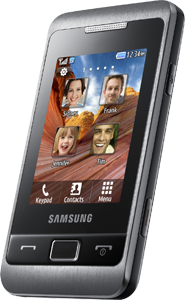
Octoplus Box Samsung GT-C3500 Help

Cables: Samsung Micro UART, Micro USB

Samsung GT-C3500

Platform: Swift

1. Available operations
2. Cables for connection
3. Necessary drivers
4. Connection
5. Write Firmware
6. Direct Unlock
7. Read codes
8. Repair IMEI

1. Available operations

  1. Write Firmware (cable: Micro USB);
  2. Direct Unlock (cable: Samsung Micro UART, Micro USB);
  3. Read codes (cable: Samsung Micro UART);
  4. Read EEPROM (cable: Micro USB);
  5. Write EEPROM (cable: Micro USB);
  6. Repair EEPROM (cable: Micro USB);
  7. Read Full flash (cable: Micro USB);
  8. Write Full flash (cable: Micro USB);
  9. Repair BT (cable: Samsung Micro UART);
  10. Repair IMEI (cable: Samsung Micro UART).
Back to main menu

2.


Samsung Micro UART cable
Back to main menu


Micro USB cable
Back to main menu

3. Necessary drivers

For correct work with the phone install "SAMSUNG USB Driver for Mobile Phones" driver.

Back to main menu

4. Connection

  • COM connection
    1. Connect the phone to box with Samsung Micro UART cable.
    2. Insert the battery.
    3. Press and hold power button.
  • USB connection
    1. Disconnect the battery.
    2. Press buttons "volume up" and "lock" on phone.
    3. Connect the phone with Micro USB cable.
Back to main menu

5. Write Firmware

  1. Connect the phone.
  2. Select necessary firmware file.
  3. Click on "Write firmware" button.
Back to main menu

6. Direct Unlock

  1. Connect the phone.
  2. Click "Unlock" button.
  3. Follow software instructions (prompts).
Note: *#7465625# - check the lock status.
Back to main menu

7. Read codes

  1. Connect the phone.
  2. Click "Read Codes" button.
Back to main menu

8. Repair IMEI

  1. Connect the phone.
  2. Enter correct IMEI.
  3. Click "IMEI fix" button.
Back to main menu

DEVAMI>>

Octoplus Box Samsung GT-C3350 Help

Cables: Samsung Micro UART, Micro USB

Samsung GT-C3350

Platform: Infineon

1. Available operations
2. Cables for connection
3. Write Firmware
4. Direct Unlock
5. Repair IMEI

1. Available operations

  1. Write Firmware (cable: Samsung Micro UART, Micro USB);
  2. Direct Unlock (cable: Samsung Micro UART, Micro USB);
  3. Read Full flash (cable: Samsung Micro UART, Micro USB);
  4. Repair IMEI (cable: Samsung Micro UART, Micro USB).
Back to main menu

2.


Samsung Micro UART cable
Back to main menu


Micro USB cable
Back to main menu

3. Write Firmware

  1. Connect the phone.
  2. Select necessary firmware file.
  3. Click on "Write firmware" button.
Back to main menu

4. Direct Unlock

  1. Write firmware from the Support Area.
  2. Connect the phone.
  3. Click on "Unlock" button.
Back to main menu

5. Repair IMEI

  1. Write firmware from octopus free support section.
  2. Connect the phone.
  3. Enter correct IMEI.
  4. Click "IMEI fix" button.
Back to main menu

DEVAMI>>

Octoplus Box Samsung GT-C3332 Help

Cables: Samsung Micro UART, Micro USB

Samsung GT-C3332

Platform: Infineon

1. Available operations
2. Cables for connection
3. Write Firmware
4. Direct Unlock
5. Repair IMEI

1. Available operations

  1. Write Firmware (cable: Samsung Micro UART, Micro USB);
  2. Direct Unlock (cable: Samsung Micro UART, Micro USB);
  3. Read Full flash (cable: Samsung Micro UART, Micro USB);
  4. Repair IMEI (cable: Samsung Micro UART, Micro USB).
Back to main menu

2.


Samsung Micro UART cable
Back to main menu


Micro USB cable
Back to main menu

3. Write Firmware

  1. Connect the phone.
  2. Select necessary firmware file.
  3. Click on "Write firmware" button.
Back to main menu

4. Direct Unlock

  1. Write any firmware for this phone from the Support Area.
  2. Connect the phone.
  3. Click on "Unlock" button.
Back to main menu

5. Repair IMEI

  1. Write any firmware for this phone from the Support Area.
  2. Connect the phone.
  3. Enter correct IMEI.
  4. Click "IMEI fix" button.
Back to main menu

DEVAMI>>

Octoplus Box Samsung GT-C3330 Help

Cables: Samsung Micro UART, Micro USB

Samsung GT-C3330

Platform: Infineon

1. Available operations
2. Cables for connection
3. Write Firmware
4. Direct Unlock
5. Repair IMEI

1. Available operations

  1. Write Firmware (cable: Samsung Micro UART, Micro USB);
  2. Direct Unlock (cable: Samsung Micro UART, Micro USB);
  3. Read Full flash (cable: Samsung Micro UART, Micro USB);
  4. Repair IMEI (cable: Samsung Micro UART, Micro USB).
Back to main menu

2.


Samsung Micro UART cable
Back to main menu


Micro USB cable
Back to main menu

3. Write Firmware

  1. Connect the phone.
  2. Select necessary firmware file.
  3. Click on "Write firmware" button.
Back to main menu

4. Direct Unlock

  1. Write any firmware for this phone from the Support Area.
  2. Connect the phone.
  3. Click on "Unlock" button.
Back to main menu

5. Repair IMEI

  1. Write any firmware for this phone from the Support Area.
  2. Connect the phone.
  3. Enter correct IMEI.
  4. Click "IMEI fix" button.
Back to main menu


DEVAMI>>

Octoplus Box Samsung GT-C3322I Help

Cables: Samsung Micro UART, Micro USB

Samsung GT-C3322I

Platform: Infineon

1. Available operations
2. Cables for connection
3. Write Firmware
4. Direct Unlock
5. Read codes
6. Repair IMEI

1. Available operations

  1. Write Firmware (cable: Samsung Micro UART, Micro USB);
  2. Direct Unlock (cable: Samsung Micro UART, Micro USB);
  3. Read codes (cable: Samsung Micro UART, Micro USB);
  4. Repair IMEI (cable: Samsung Micro UART, Micro USB).
Back to main menu

2.


Samsung Micro UART cable
Back to main menu


Micro USB cable
Back to main menu

3. Write Firmware

  1. Connect the phone.
  2. Select necessary firmware file.
  3. Click on "Write firmware" button.
Back to main menu

4. Direct Unlock

  1. Write any firmware for this phone from the Support Area.
  2. Connect the phone.
  3. Click on "Unlock" button.
Back to main menu

5. Read codes

  1. Write any firmware for this phone from the Support Area.
  2. Connect the phone.
  3. Click on "Read Codes" button.
Back to main menu

6. Repair IMEI

  1. Write any firmware for this phone from the Support Area.
  2. Connect the phone.
  3. Enter correct IMEI.
  4. Click "IMEI fix" button.
Back to main menu

DEVAMI>>

Octoplus Box Samsung GT-C3322 Help

Cables: Samsung Micro UART, Micro USB

Samsung GT-C3322

Platform: Swift

1. Available operations
2. Cables for connection
3. Necessary drivers
4. Connection
5. Write Firmware
6. Read codes
7. Repair IMEI

1. Available operations

  1. Write Firmware (cable: Micro USB);
  2. Read codes (cable: Samsung Micro UART);
  3. Read EEPROM (cable: Micro USB);
  4. Write EEPROM (cable: Micro USB);
  5. Repair EEPROM (cable: Micro USB);
  6. Read Full flash (cable: Micro USB);
  7. Write Full flash (cable: Micro USB);
  8. Repair BT (cable: Samsung Micro UART);
  9. Repair IMEI (cable: Samsung Micro UART).
Back to main menu

2.


Samsung Micro UART cable
Back to main menu


Micro USB cable
Back to main menu

3. Necessary drivers

For correct work with the phone install "SAMSUNG USB Driver for Mobile Phones" driver.

Back to main menu

4. Connection

  • COM connection
    1. Connect the phone to box with Samsung Micro UART cable.
    2. Insert the battery.
    3. Press and hold power button.
  • USB connection
    1. Disconnect the battery.
    2. Press buttons "2" and "3" on phone.
    3. Connect the phone with Micro USB cable.
Back to main menu

5. Write Firmware

  1. Connect the phone.
  2. Select necessary firmware file.
  3. Click on "Write firmware" button.
Back to main menu

6. Read codes

  1. Connect the phone.
  2. Click "Read Codes" button.
Back to main menu

7. Repair IMEI

  1. Connect the phone.
  2. Enter correct IMEI.
  3. Click "IMEI fix" button.
Back to main menu


DEVAMI>>

Octoplus Box Samsung GT-C3312S Help

Cables: Samsung Micro UART, Micro USB

Samsung GT-C3312S

Platform: Infineon

1. Available operations
2. Cables for connection
3. Write Firmware
4. Direct Unlock
5. Read codes
6. Repair IMEI

1. Available operations

  1. Write Firmware (cable: Samsung Micro UART, Micro USB);
  2. Direct Unlock (cable: Samsung Micro UART, Micro USB);
  3. Read codes (cable: Samsung Micro UART, Micro USB);
  4. Read Full flash (cable: Samsung Micro UART, Micro USB);
  5. Repair IMEI (cable: Samsung Micro UART, Micro USB).
Back to main menu

2.


Samsung Micro UART cable
Back to main menu


Micro USB cable
Back to main menu

3. Write Firmware

  1. Connect the phone.
  2. Select necessary firmware file.
  3. Click on "Write firmware" button.
Back to main menu

4. Direct Unlock

  1. Write any firmware for this phone from the Support Area.
  2. Connect the phone.
  3. Click on "Unlock" button.
Back to main menu

5. Read codes

  1. Write any firmware for this phone from the Support Area.
  2. Connect the phone.
  3. Click on "Read Codes" button.
Back to main menu

6. Repair IMEI

  1. Write any firmware for this phone from the Support Area.
  2. Connect the phone.
  3. Enter correct IMEI.
  4. Click "IMEI fix" button.
Back to main menu

DEVAMI>>
imei repair